Account, Billing & Team
Configure notification emails
Set the operational email recipients that receive restaurant notification messages.
What notification emails are for
Notification emails keep the active restaurant's team informed about reservation and operational messages. These are merchant notification recipients for notif.email.m, not guest-facing email templates.
Use a monitored inbox or team distribution address rather than a personal address whenever possible.
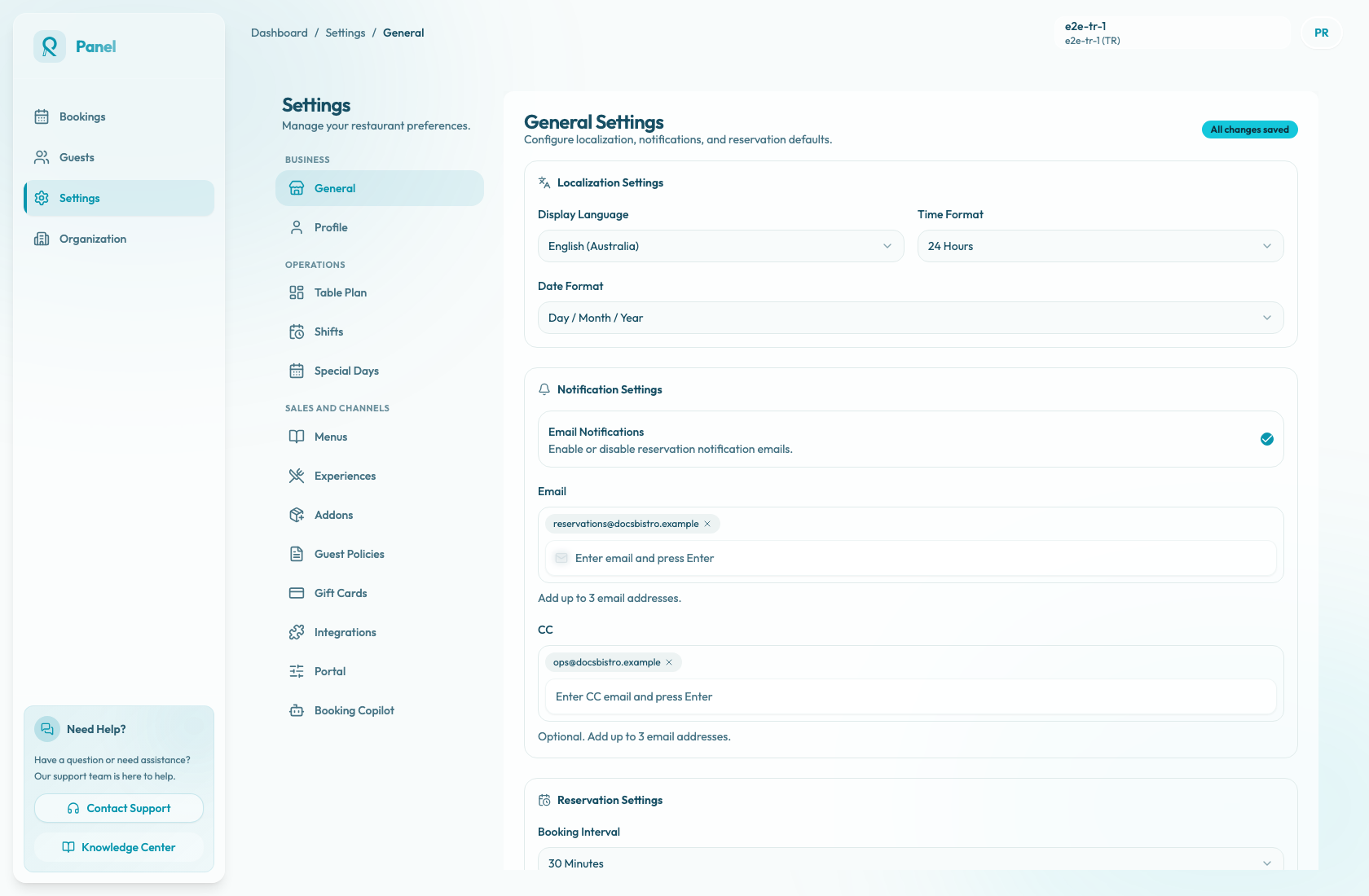
Configure recipients
- Open Settings / General.
- Scroll to Notification Settings.
- Use Email Notifications to enable or disable reservation notification emails.
- In Email, enter a primary recipient address. The field placeholder is Enter email and press Enter.
- Press Enter to add the address as a chip.
- In CC, enter copied recipients when another inbox should receive copies. The field placeholder is Enter CC email and press Enter.
- Press Enter after each CC address.
- Select Save Changes.
Use addresses that the team checks during service. Examples include reservations, management, or operations inboxes.
Recipient rules
Each Email and CC field accepts up to three email address chips. The panel rejects duplicate addresses and addresses that are not valid email addresses.
When Email Notifications is enabled, at least one Email recipient is required before the settings can be saved. CC recipients are optional and are only copied on the same merchant notification emails.
When Email Notifications is disabled, the Email and CC chip inputs are disabled. Saved recipient values may still remain visible in the form until you change and save the settings again.
Save or discard changes
Use Save Changes to update the active restaurant's notification settings. While the save is in progress, the button shows Saving....
Use Discard Changes to reset unsaved edits. Successful saves currently show the English toast Settings saved successfully with the message Your changes have been updated. The reset toast also appears in English.
Keep the list current
Review notification recipients when managers change, the restaurant opens a new location, or the team moves to a new shared inbox.