Account, Billing & Team
Organization overview
Understand the Organization page, including organization profile, defaults, restaurants, employees, and subscription tabs.
What the Organization page is for
The Organization page groups organization-level review, team access, subscription, and restaurant context in one place. Use it when you need to confirm the organization's identity, see which restaurants belong to it, switch the active restaurant context, manage employees, or review subscription state.
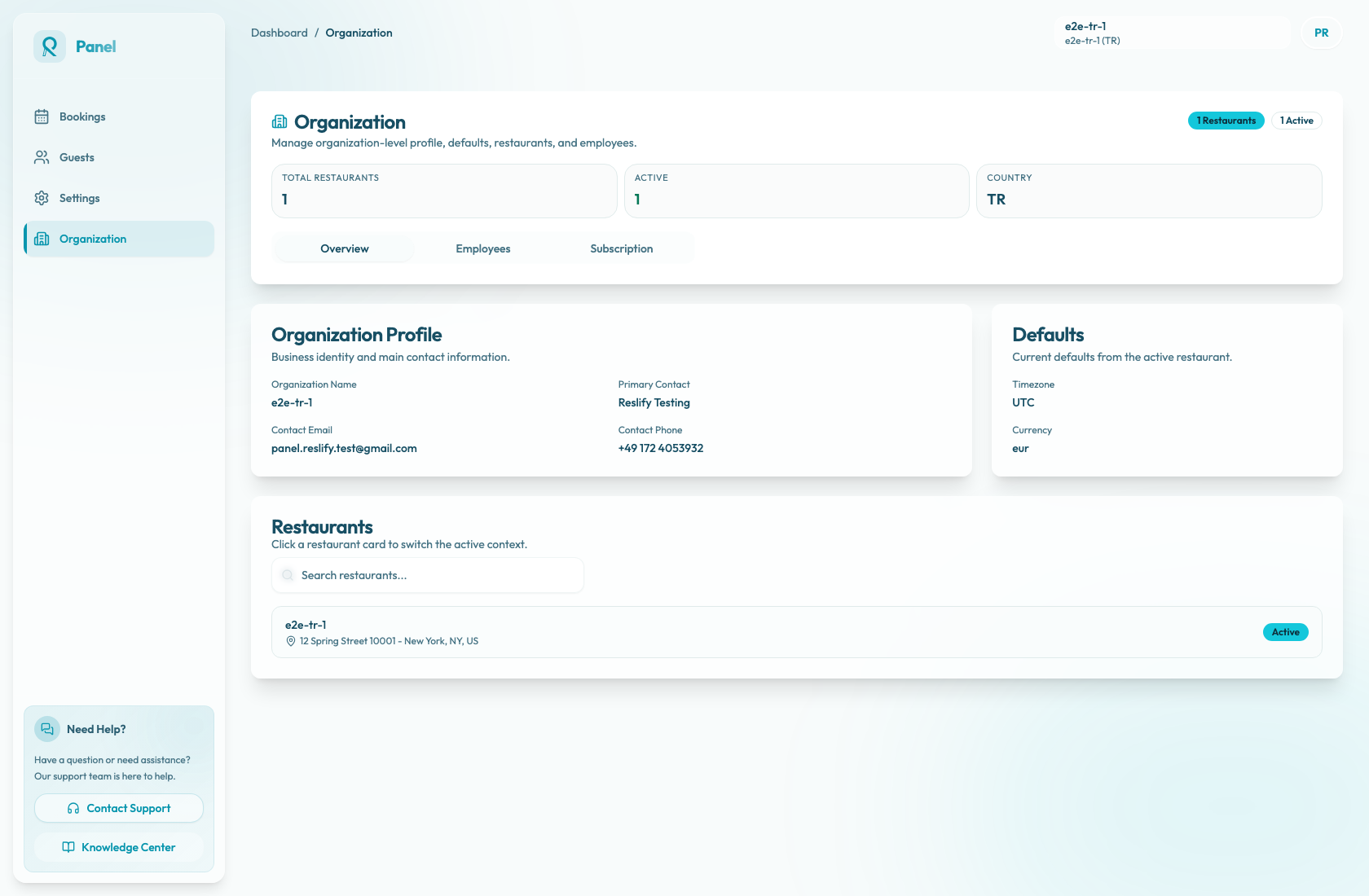
Main areas
The header shows restaurant-count and active-count badges, plus stats for Total Restaurants, Active, and Country. These values help confirm that you are managing the expected organization before changing access or billing.
The tabs separate the main workflows:
- Overview is a read-only review of organization identity, active restaurant defaults, and restaurants.
- Employees opens employee management in the organization context.
- Subscription opens the Subscription page for plan, billing access, invoice status, and Stripe portal actions.
Overview tab
The Overview tab is for review and context switching, not editing organization settings. It contains:
- Organization Profile with Organization Name, Primary Contact, Contact Email, and Contact Phone.
- Defaults with Timezone and Currency.
- Restaurants, where you can search restaurants and click a restaurant card to switch the active context.
The Primary Contact field currently uses the first employee on the organization record. It does not necessarily mean a primary contact was manually selected.
The Defaults section mirrors the active restaurant: Timezone comes from the active restaurant's general timezone setting, and Currency comes from the active restaurant's payment currency setting.
When to use Organization instead of Settings
Use Organization for organization-level review, team access, restaurant context, and subscription.
Use Settings for the active restaurant's operational configuration, such as availability, profile, menus, guest policies, integrations, portal, and Booking Copilot.