Account, Billing & Team
Update restaurant localization
Configure language, time format, date format, and booking interval for the active restaurant.
What localization controls
Localization settings shape how the active restaurant displays language, time, and date information inside the panel and related workflows. These settings are specific to the active restaurant, so confirm the restaurant context before editing them.
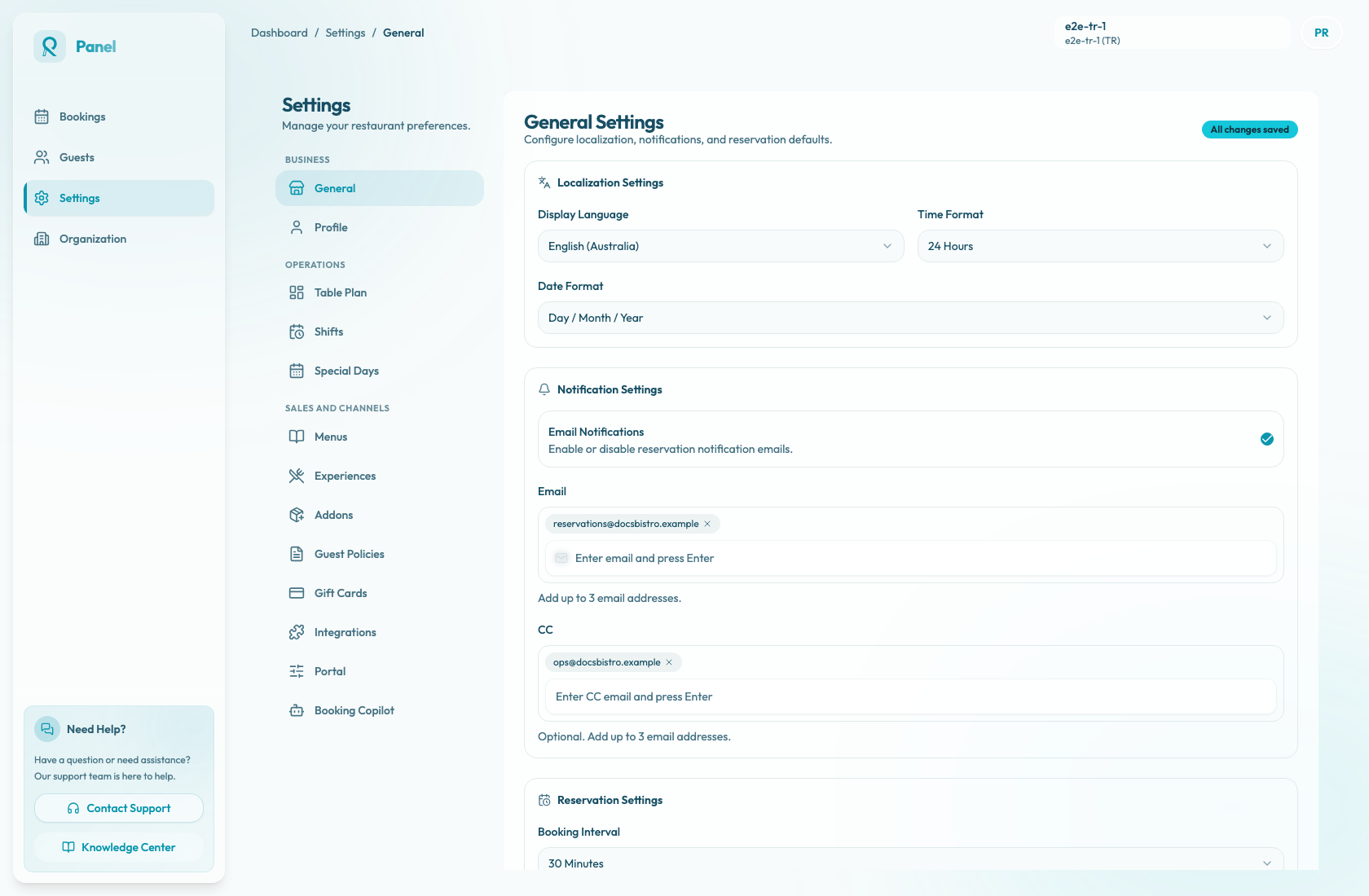
Open Settings / General. The page title is General Settings. Language, time, and date controls are in Localization Settings; booking cadence is in Reservation Settings.
| Field | Available options | | --- | --- | | Display Language | German, English (Australia), English (US), Turkish | | Time Format | 24 Hours, 12 Hours | | Date Format | Day / Month / Year, Month / Day / Year, Year / Month / Day | | Booking Interval | 15 Minutes, 30 Minutes |
Update localization
- Confirm the active restaurant in the top-right header.
- Open Settings / General and confirm the General Settings page is shown.
- In Localization Settings, choose Display Language, Time Format, and Date Format.
- In Reservation Settings, choose Booking Interval.
- Check that the status changes to Unsaved changes.
- Select Save Changes. While the save is in progress, the button shows Saving....
- Confirm the status returns to All changes saved.
If no setting was changed, the page does not save and no toast appears. When changed settings save successfully, the current toast says Settings saved successfully with Your changes have been updated.
To abandon local edits, select Discard Changes. The current reset toast says Changes discarded with General settings were reset to the last saved values.
Choose booking interval carefully
The booking interval affects the time granularity used in reservation workflows. A 15-minute interval offers more precision, while a 30-minute interval keeps schedules simpler.
Before changing it, confirm the restaurant's shift setup, booking habits, and guest communication expectations.