AI Concierge
Activate Booking Copilot
Turn Booking Copilot on or off for guests while keeping the manual booking flow available.
Open the status setting
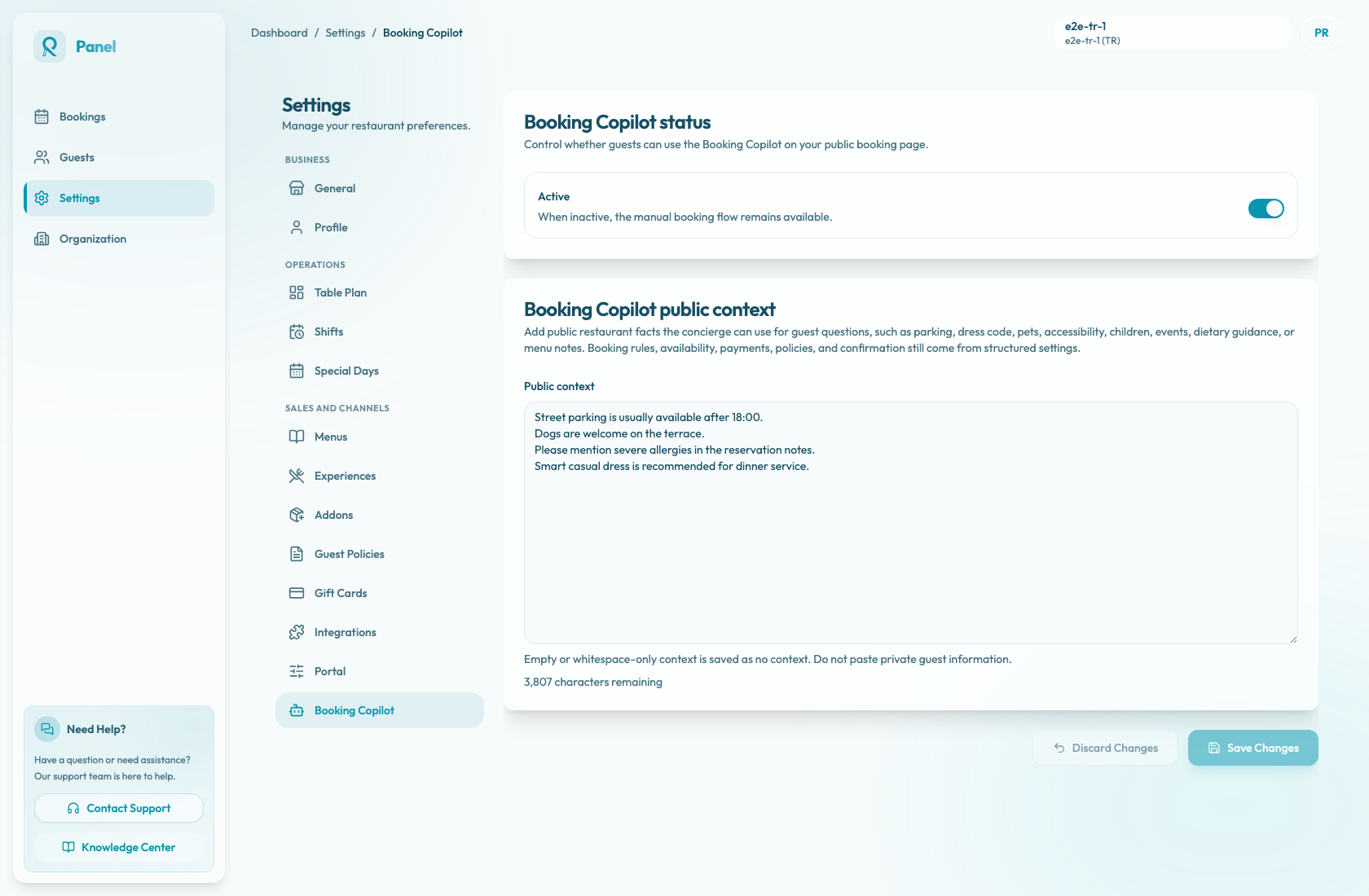
Go to Settings / Booking Copilot for the active restaurant or location. The Booking Copilot status card controls whether guests can use the assistant on that location's public booking page.
Turn the assistant on
Enable Active when the restaurant is ready for guests to use Booking Copilot. Then select Save Changes.
When active, the assistant can appear on the public booking page and help guests with booking questions. It may open by default on desktop. On mobile, or when the widget is collapsed, guests can open it with Ask AI.
The exact booking outcomes still depend on live availability, configured experiences, payment rules, policies, and public restaurant context.
Turn the assistant off
Disable Active if the restaurant is not ready to expose the assistant, wants to revise public context, or needs a temporary pause.
When inactive, or when no saved status exists yet, Booking Copilot is off. The manual booking flow remains available, so guests can still choose party size, date, time, experience, and guest details without the assistant.