AI Concierge
Decide what Booking Copilot can answer
Understand which guest questions Booking Copilot can help with and which rules still come from structured Reslify settings.
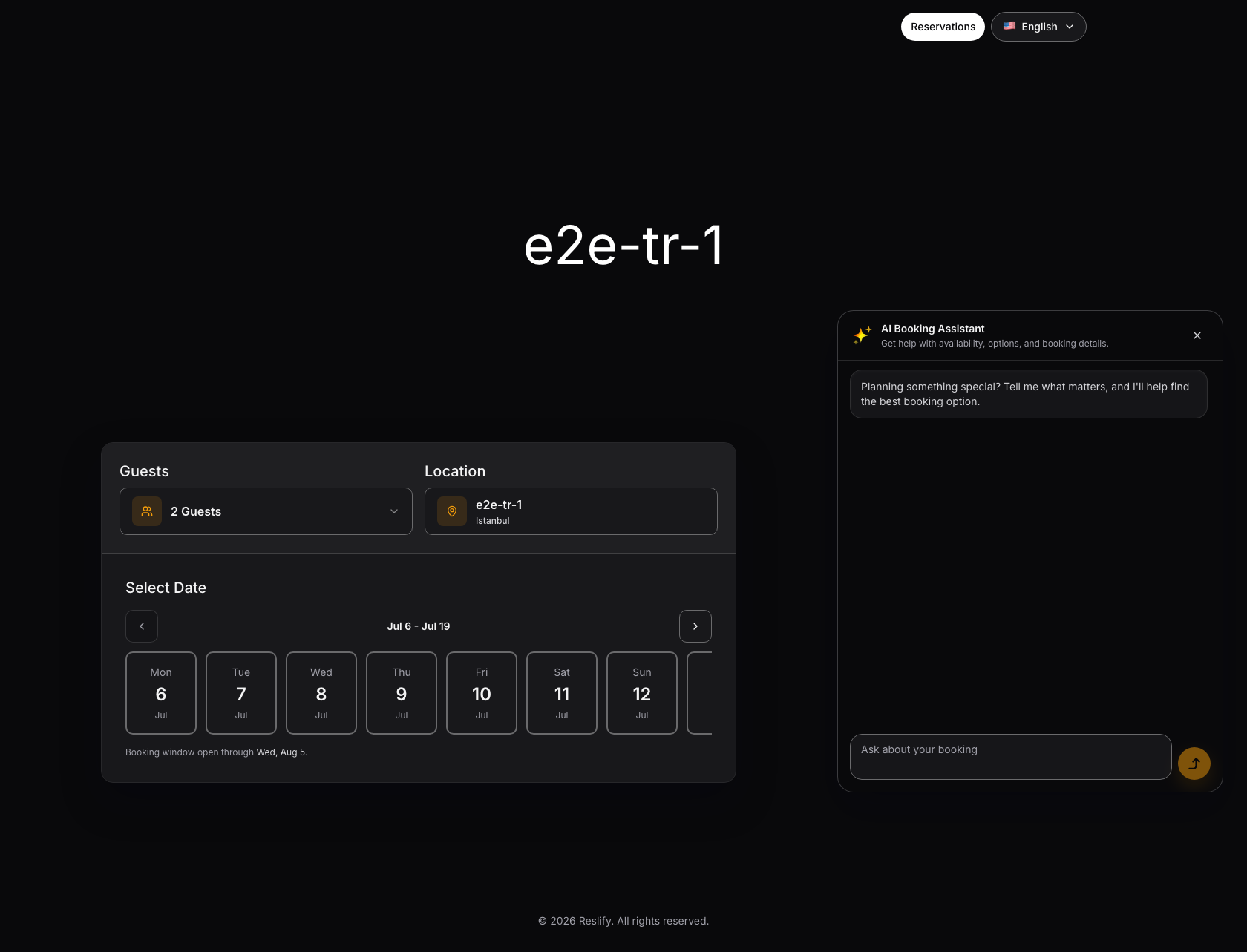
What guests see
When active, Booking Copilot appears alongside the public reservation flow. Guests can ask for help with booking options, availability, and booking details.
The guest widget uses fixed English labels such as Ask AI, AI Booking Assistant, Get help with availability, options, and booking details., Ask about your booking, Apply, Dismiss, and Applying.
What it can answer
Booking Copilot can help guests interpret available options and move through booking steps. It can use the current booking journey, including the step the guest is on, locale, party size, date, time or time window, area, experience, notes draft, selected slot, hold status, guest detail presence, selected add-ons, payment or policy state, and validation or recovery messages.
It can also use visible available slots, up to 50 at a time, suggested dates, up to 14 at a time, operating schedule, configured experiences, and the public context you provide. Use public context for guest-safe restaurant facts that structured settings do not already control.
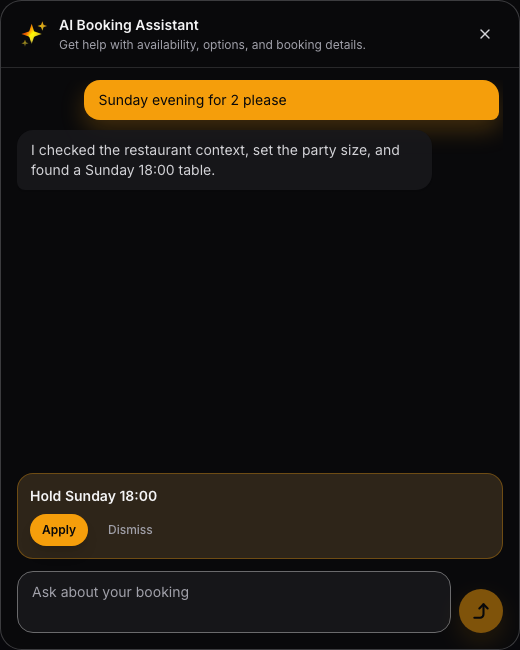
For example, a guest can ask for a Sunday evening table for two. Booking Copilot can search availability, summarize what it found, and offer an action such as holding a slot.
What it can prepare
Booking Copilot can safely prepare changes to party size, date, time or time window, area, and notes. It can trigger an availability search and can use quick replies, focus hints, proactive suggestions, and field highlights to help the guest continue.
Some actions remain pending until the guest explicitly chooses them. Booking Copilot can prepare a slot hold, experience selection, add-on selection, or guest detail application, but the guest must select Apply or Dismiss.
What it cannot decide or finalize
Booking Copilot does not silently complete the booking flow. It does not replace the manual reservation form, choose paid options without the guest, finalize a reservation, or complete payment.
Treat it as an assistant for understanding and preparing the next step, not as a separate booking channel with different rules.
What should stay in settings
Do not use public context as the source for rules that belong elsewhere. Availability should come from shifts and table settings. Payments should come from payment settings. Cancellation and guest policies should come from policies and experience payment rules. Add-ons and confirmation behavior should come from their structured settings.
Use public context for facts the assistant can explain, not for operational truth that Reslify already stores in structured fields.