AI Concierge
Write Booking Copilot public context
Write safe public restaurant facts that Booking Copilot can use when answering guest questions.
What public context is
Public context is free-form restaurant information that Booking Copilot can use when answering guest questions. Use it for facts that are safe to share with guests and not already controlled by structured settings.
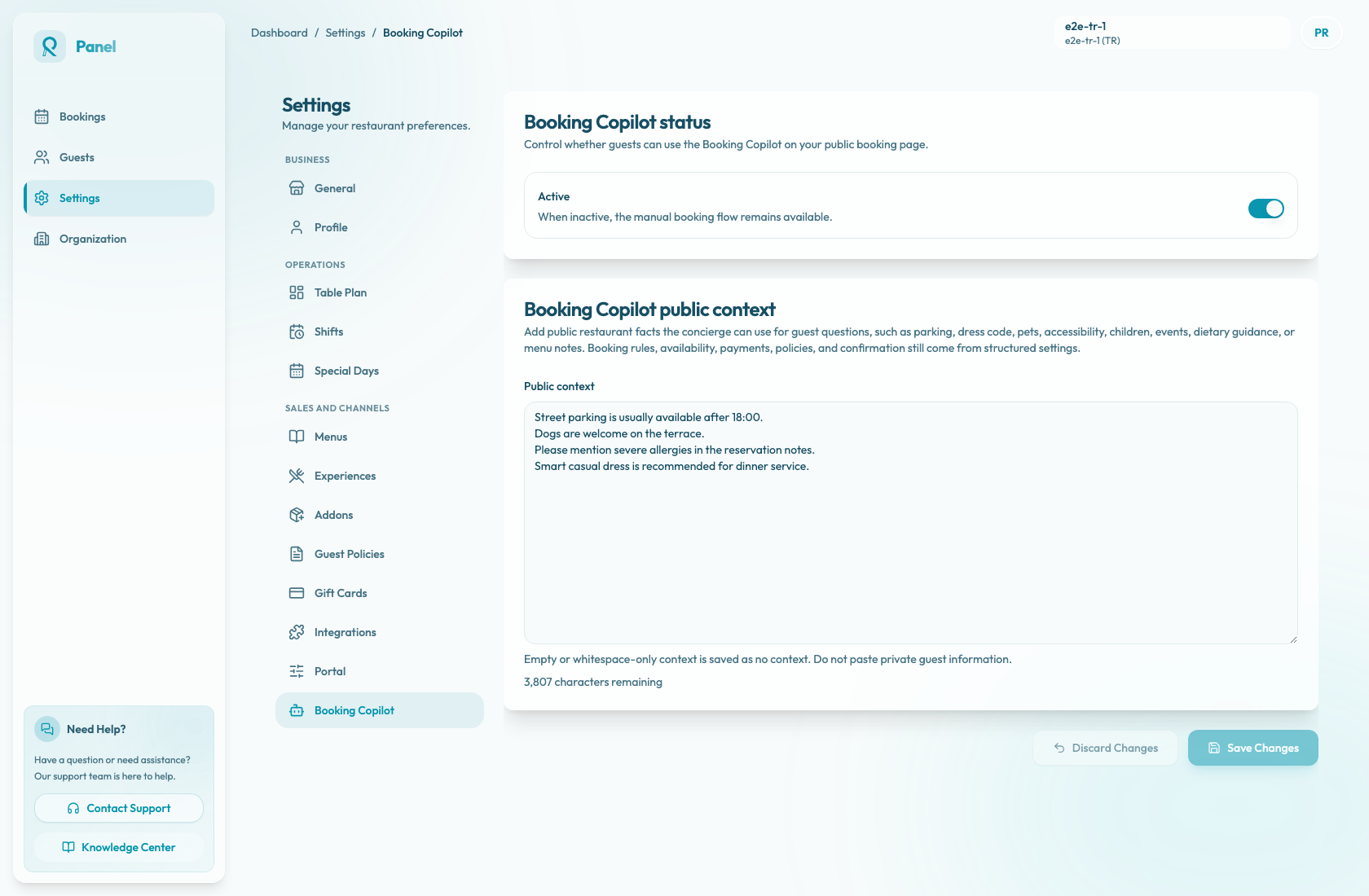
Open Settings / Booking Copilot and edit Booking Copilot public context. The textarea is labelled Public context.
Good topics for public context
Add facts guests often ask before booking:
- Parking guidance.
- Dress code.
- Accessibility notes.
- Pets or terrace rules.
- Children or family guidance.
- Dietary guidance and allergy reminders.
- Event or celebration notes.
- Menu notes that are safe to publish.
Booking rules, availability, payments, cancellation policies, and confirmation behavior still come from structured Reslify settings. Booking Copilot also uses the merchant profile, configured experiences, add-ons, areas, and the live booking journey state, so public context should fill gaps instead of duplicating everything.
Write useful context
Keep the text short, factual, and easy to reuse in answers. A practical structure is:
- Start with arrival details, such as parking or entrance notes.
- Add guest comfort details, such as accessibility, children, pets, or dress code.
- Add dining guidance, such as allergies, dietary notes, menu limitations, or celebration details.
- Remove anything private, temporary, or staff-only.
Example:
Street parking is usually easier after 18:00. Dogs are welcome on the terrace. Guests with severe allergies should add details in the reservation notes.
Avoid long internal policy documents, staff-only instructions, guest names, phone numbers, email addresses, private booking notes, and anything that would confuse a guest. Public context is context the assistant can use; it is not guaranteed to be shown verbatim to guests.
Review and update it
Review public context whenever restaurant operations change:
- Update it before seasonal menus, events, terrace changes, accessibility changes, or new family and pet policies go live.
- Compare it with structured settings so it does not contradict availability, payments, policies, or confirmation rules.
- Ask a few common guest questions on the public booking page and check whether Booking Copilot answers with the intended facts.
Use Discard Changes if you do not want to keep edits made during the current session.
Save behavior
The field has a 4,000 character limit. The counter below the textarea shows how much space remains.
When you select Save Changes, the panel trims leading and trailing spaces. Empty or whitespace-only context is saved as no context. While the save is in progress, the button shows Saving.... The remaining capacity is shown as {remaining} characters remaining.