Guest Management
Add internal reservation notes
Add short internal reservation notes during manual intake so the restaurant team has the right service context.
What internal reservation notes are for
Reservation notes give the restaurant team service context for a specific booking. In manual reservation intake, the Reservation Notes field is an internal restaurant note for staff, not a guest-visible message.
The field appears in the Preferences and Notes section of manual reservation intake. It is saved with the reservation as Merchant Note and appears later in reservation details under Notes as Merchant Note. Manual intake does not add a separate Guest Note; guest notes can still appear separately when they come from public or request flows.
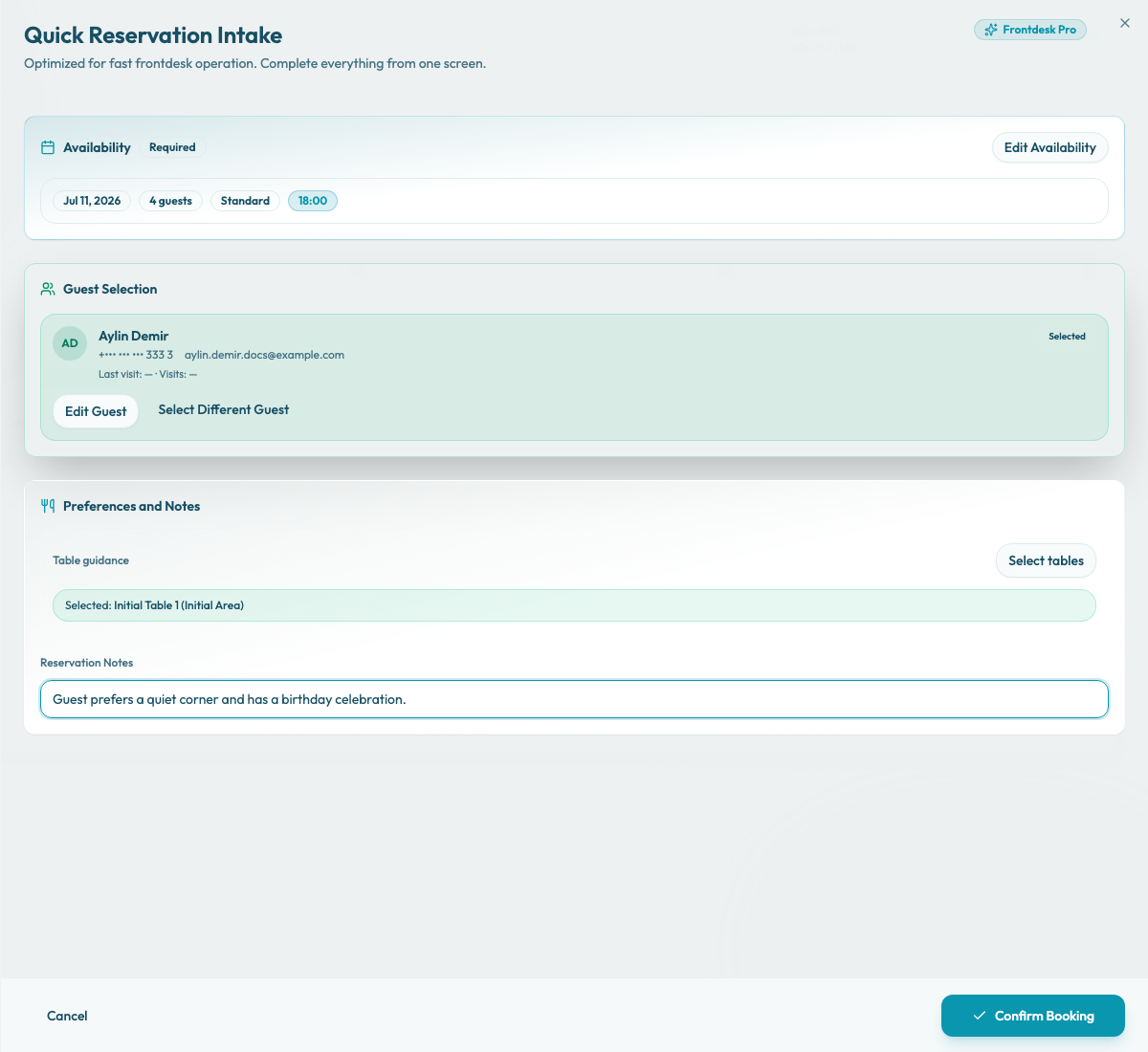
Write concise service notes
Keep notes short and actionable. A good note tells the team what to do or watch for, without turning the reservation into a long conversation transcript or guest-facing copy.
Examples:
- "Birthday dessert requested."
- "Prefers quiet corner."
- "Allergy: shellfish."
- "High chair needed."
- "VIP handoff to floor manager."
Separate guest notes from team notes
Use this field for service instructions and internal team handoffs that belong to this booking. Do not use it when you need to record a guest-provided message as a Guest Note.
For example, a phone number belongs on the guest profile. A public booking request such as "We are celebrating an anniversary" may appear as Guest Note in reservation details. A staff instruction such as "Prepare anniversary dessert plate" belongs in the manual reservation Reservation Notes field because it becomes the Merchant Note.
Review before confirming
Before selecting Confirm Booking, read the internal note back with the rest of the reservation details. This reduces operational mistakes when reservations are created during phone calls or busy service periods.