Payments & Revenue Protection
Create gift-card products
Create the stored-value gift-card products guests can choose on the public Gift cards page.
What gift-card products are
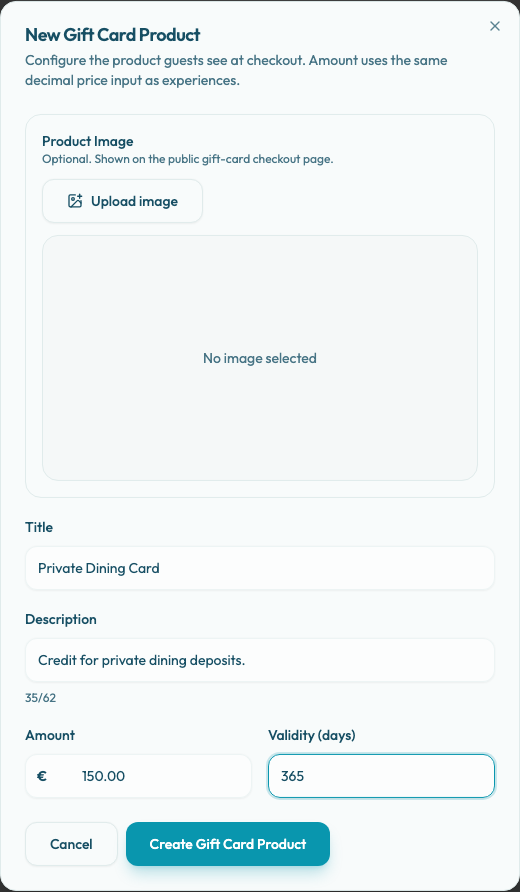
Gift-card products are the stored-value offers guests choose on the public Gift cards page, such as "Dinner for Two" or "Celebration Gift Card". Each product controls the guest-facing Title, optional Description, Amount, Validity (days), optional Product Image, and whether the product is archived.
There is no separate selling price field in this form. Amount is the checkout amount and the initial gift-card balance issued after payment.
Manage products from Settings / Gift Cards.
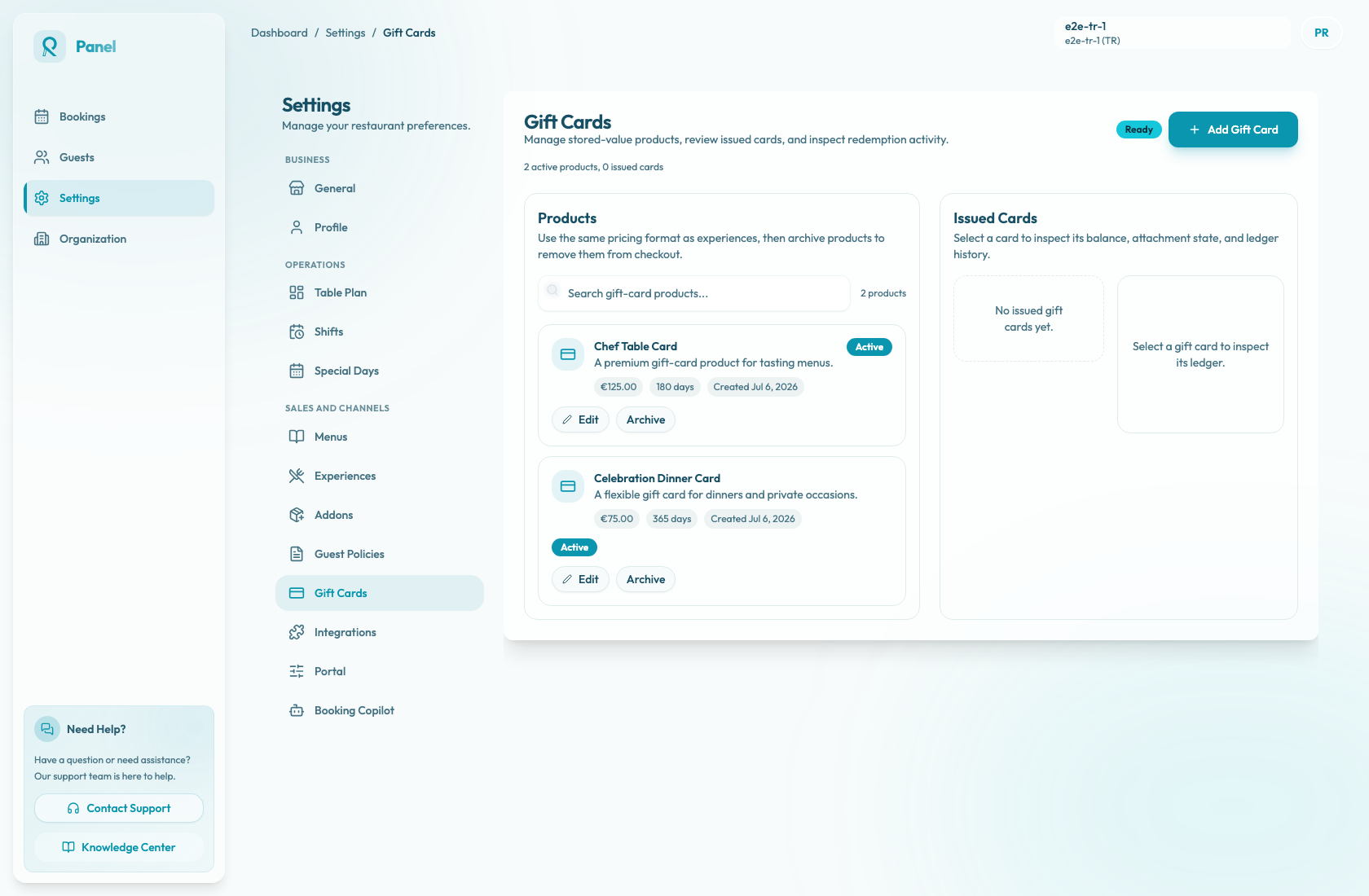
Add a product
- Open Settings / Gift Cards.
- Confirm the page status is Ready. If it shows Selling disabled, open Integrations and finish Stripe readiness or PAYTR marketplace payout readiness before creating or editing products.
- In Products, select Add Gift Card.
- In New Gift Card Product, optionally upload a Product Image. The image is shown on the public gift-card checkout page.
- Enter a clear Title and optional Description. The description is short guest-facing copy, not an internal note.
- Enter the Amount using the same decimal price format as experiences.
- Keep or adjust Validity (days). New products default to 365 days, and issued cards expire this many days after payment issuance.
- Select Create Gift Card Product.
Control public visibility
New products are created as Active. Active products can appear on the public Gift cards page and in the portal navigation when gift-card selling is ready.
Use Archive on a product card to remove that product from public checkout. Archived products stay visible in the panel with an Archived badge, and you can use Restore to make them available again. Archiving a product does not delete issued cards or their ledger history.
Write the product clearly
The product title should be easy to understand without staff explanation. The description should explain what the recipient receives and any important redemption expectations that guests must know before buying.
Avoid internal names like "GC-100". Use guest-facing names like "Celebration Dinner Card" or "Tasting Menu Gift Card". Because the product form does not have separate redemption-rule fields, keep any operational limits in the description and make sure staff can honor them.
Before publishing
Before promoting a gift-card product, confirm the payment provider is ready, at least one intended product is Active, archived drafts are not visible to guests, and the public Gift cards page can start checkout successfully.