Payments & Revenue Protection
Review issued gift cards and ledger history
Review issued gift cards, current balances, attachment state, and the ledger events that explain how value was reserved, spent, or returned.
What the ledger shows
Every issued gift card has a ledger of value events. The ledger explains how the card moved from purchase or venue credit to reservation usage, and it helps the team answer guest questions about remaining value.
Open Settings / Gift Cards. The page title is Gift Cards, and the product list and Issued Cards list remain visible even when gift-card selling is disabled. When selling is disabled, product edits and public checkout stay blocked until gift-card eligibility is ready.
The issued card list shows the code, recipient, status badge, and Remaining {remaining} of {initial}. Select a card to load its detail panel.
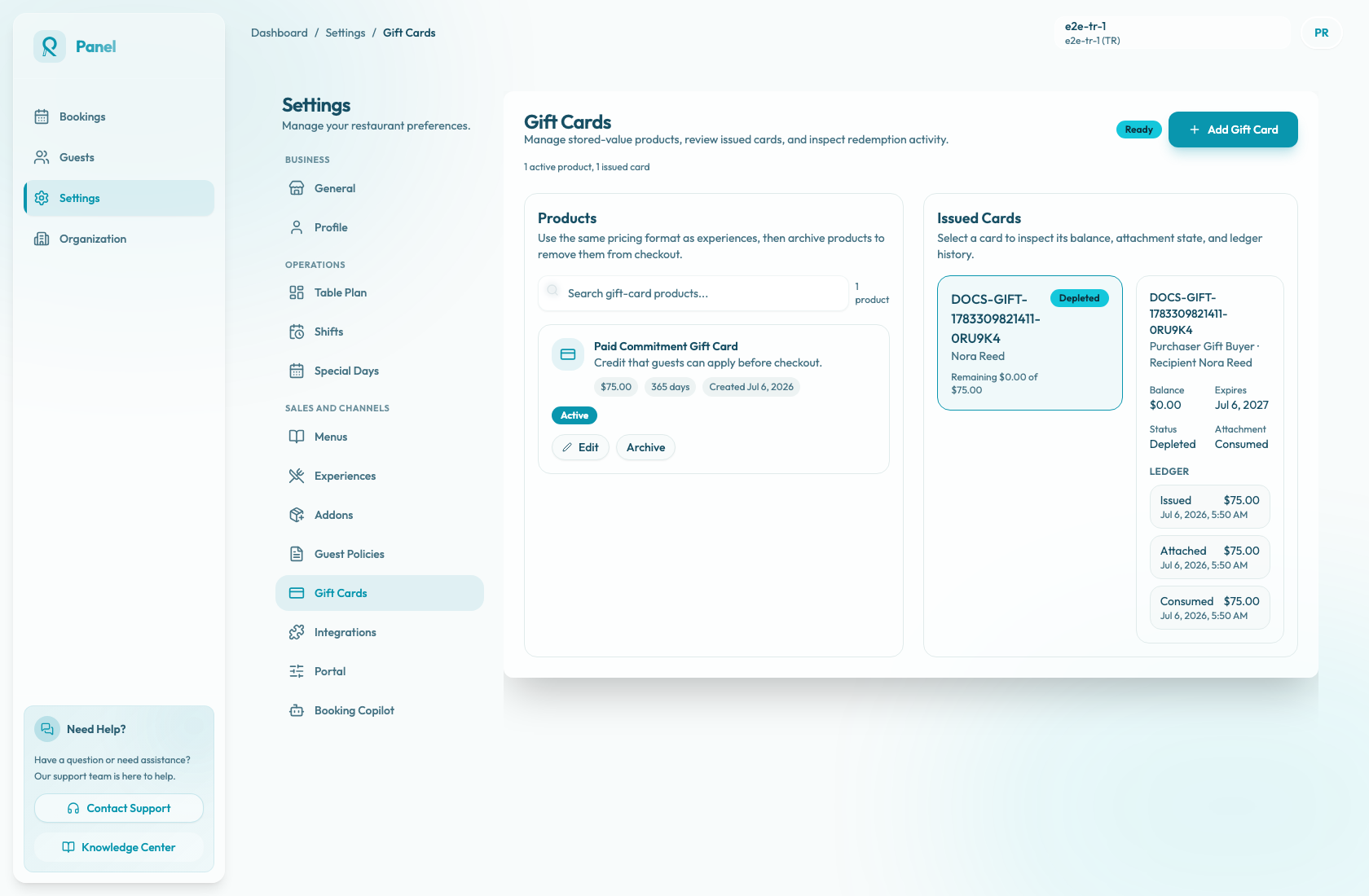
Review an issued card
- Open Settings / Gift Cards.
- In Issued Cards, select the card by its code or recipient.
- Confirm the list status badge and remaining amount.
- In the detail panel, review the code and the purchaser/recipient line:
Purchaser {purchaser} · Recipient {recipient}. - Read Balance, Expires, Status, and Attachment.
- Read Ledger from oldest to newest. Each ledger row shows the event type, amount, and timestamp.
Understand statuses
The card status is resolved dynamically:
- Expired when the current time is at or after Expires.
- Depleted when the remaining balance is zero or below.
- Active otherwise.
The attachment field shows whether value is connected to a reservation:
- Not attached means there is no current reservation attachment.
- Attached means value is reserved on a reservation.
- Consumed means attached value was spent.
- Released means the reservation attachment was returned.
Common ledger events
Ledger entries may include:
- Issued when a paid gift-card purchase is issued, or when compensation venue credit is issued after paid-commitment settlement.
- Attached when a guest applies the card to a reservation and value is reserved.
- Consumed when attached value is spent.
- Released when a reservation flow is cancelled or released and the attachment is returned.
Expired is a card status, not a ledger event in the current panel.
Use the ledger for support
If a guest asks why their balance changed, read the ledger before making assumptions. Start with Issued, then follow later entries in order: Attached means value was reserved, Consumed means it was spent, and Released means the reservation attachment was returned.
The panel ledger currently shows event type, amount, and timestamp. It does not show backend notes or reservation IDs, so check the reservation detail separately if the support question needs reservation context.