Reservations & Availability
Search and filter bookings
Use the Bookings page controls to narrow reservations and requests by date, view, request status, and guest search.
When to use the toolbar
Use the Bookings toolbar when a guest calls, arrives early, gives a partial name, or asks to change a reservation. The controls help the team stay in the right operating context before opening a booking.
Start by confirming whether you are working in Reservations or Requests. Reservations are scoped to the selected day. Requests use a decision status filter so the team can review incoming work separately from confirmed reservations.
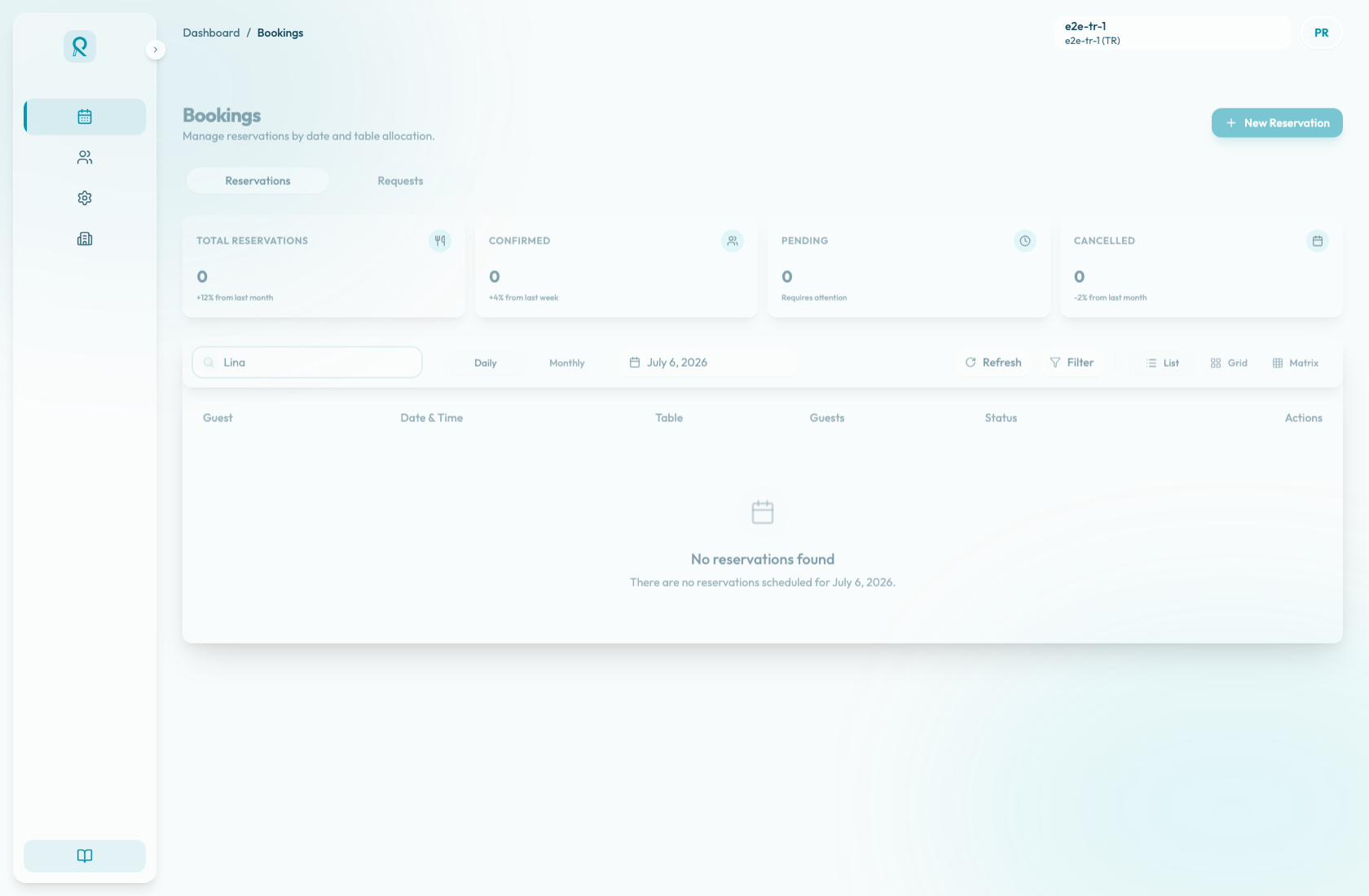
Reservation controls
In Reservations, use Daily to work from a single service date. Pick a date from the calendar, or use Back to Today after moving away from the current day.
Use List for operational scanning, Grid for card-style review, and Matrix for table and time allocation. Monthly opens the calendar summary; selecting a day returns you to the daily view for that date.
The Search guests... field is most useful in Matrix view. It matches the guest name or guest email, highlights matching reservation bars, and dims non-matching bars. Cancelled reservations are not shown in the Matrix view.
In List and Grid, use the selected date and the Guest column or card header to locate the reservation. The empty state says No reservations found when there are no reservations scheduled for the selected date.
Request controls
Switch to Requests to review reservation requests. The request status control filters the request list by:
- Pending
- Accepted
- Rejected
Requests are loaded from the recent request window, not from the selected reservation date. Use the status filter before telling the guest that a request is missing.
After finding a reservation
Open the reservation row, card, or Matrix bar to review the full detail panel. From there, check guest contact data, booking notes, table assignment, status, and available actions.
Clear the search after using Matrix search so the table timeline is no longer dimmed.