Reservations & Availability
Use the monthly bookings view
Use the monthly Bookings view to plan ahead, identify busy days, and navigate quickly from a calendar to a specific service date.
When to use the monthly view
Use the monthly bookings view when the question is about planning, not immediate service. It helps managers understand which dates have activity, which days need attention, and where to jump next.
This view is useful before changing availability, adding special day rules, checking demand around holidays, or preparing the team for a busy week.
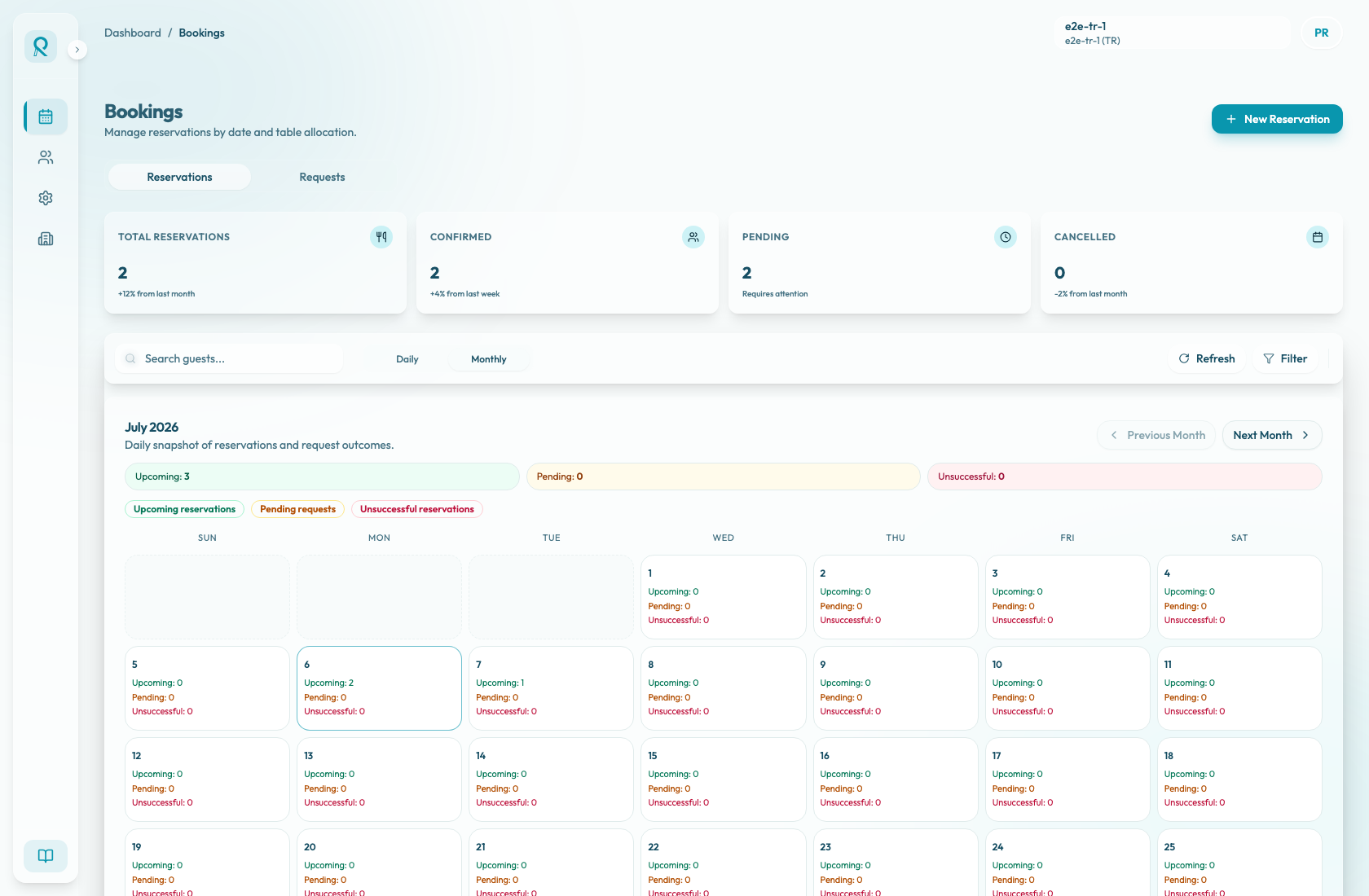
Read the calendar
Each date cell represents a day in the selected month. The cell shows three daily counts:
- Upcoming confirmed reservations that are still ahead.
- Pending reservation requests waiting for review.
- Unsuccessful reservations that did not complete successfully, such as cancelled or no-show reservations.
The summary counters above the calendar add those same counts for the whole visible month. Use the color legend to scan for days with more confirmed demand, open requests, or unsuccessful outcomes.
Use Previous Month and Next Month to move through the planning window. The calendar starts at the current month and allows navigation up to three months ahead.
When you need to operate on one day, select that date. Reslify switches back to the daily list with that date selected so you can open reservation details, review requests, or move into the matrix view for table-level work.
Planning workflows
Use the monthly view before editing shifts or special days so you can understand the reservation impact of a date. If a day already has bookings, review those reservations before reducing capacity or closing the date.
Use it during weekly operations meetings to identify days that may need more staff, more table coverage, or menu and experience adjustments.
The monthly view is an activity snapshot. It does not replace the daily list or availability matrix for capacity checks, table assignment, guest communication, or request decisions.