Reserve with Google & Integrations
Configure portal embed snippets
Set allowed origins and review the public portal URLs and snippets used to install the booking widget.
Where embed settings live
Portal embed links and code are managed under Settings / Booking widget, not the Integrations page. Use it when installing the Reslify booking page or widget on the restaurant website.
Configure allowed origins
- Open Settings / Booking widget.
- Stay on the General tab.
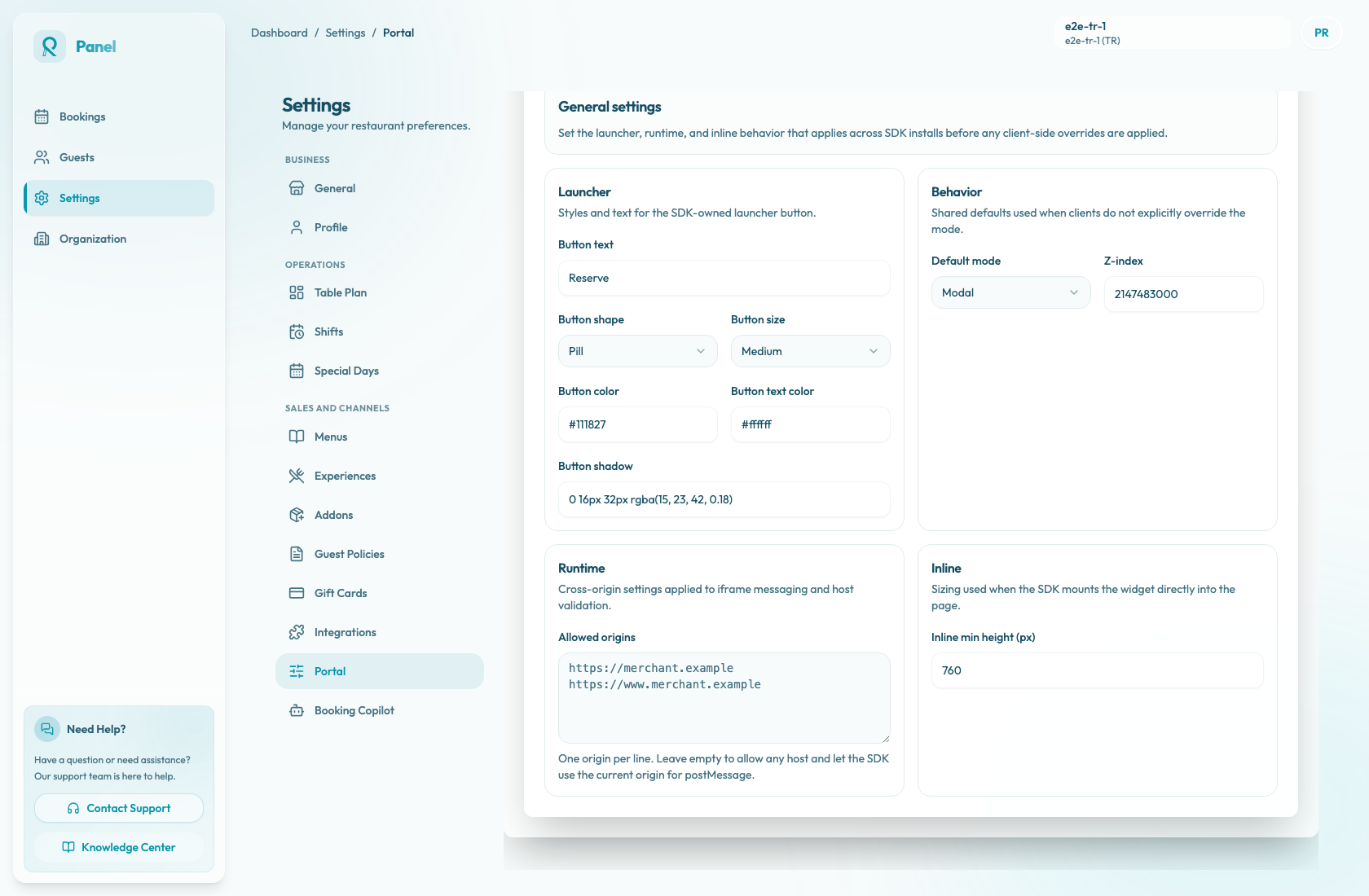
- Scroll to Runtime and find Allowed origins.
- Add one origin per line, such as
https://merchant.exampleandhttps://www.merchant.example. - Include both apex and
wwwdomains if the website uses both. - Select Save widget settings.
Allowed origins are read one per line. Blank lines are ignored, extra spaces are trimmed, and duplicate origins are saved once. Leaving allowed origins empty permits any host and lets the SDK use the current origin for postMessage. For production websites, explicit origins are usually easier to reason about.
Review install snippets
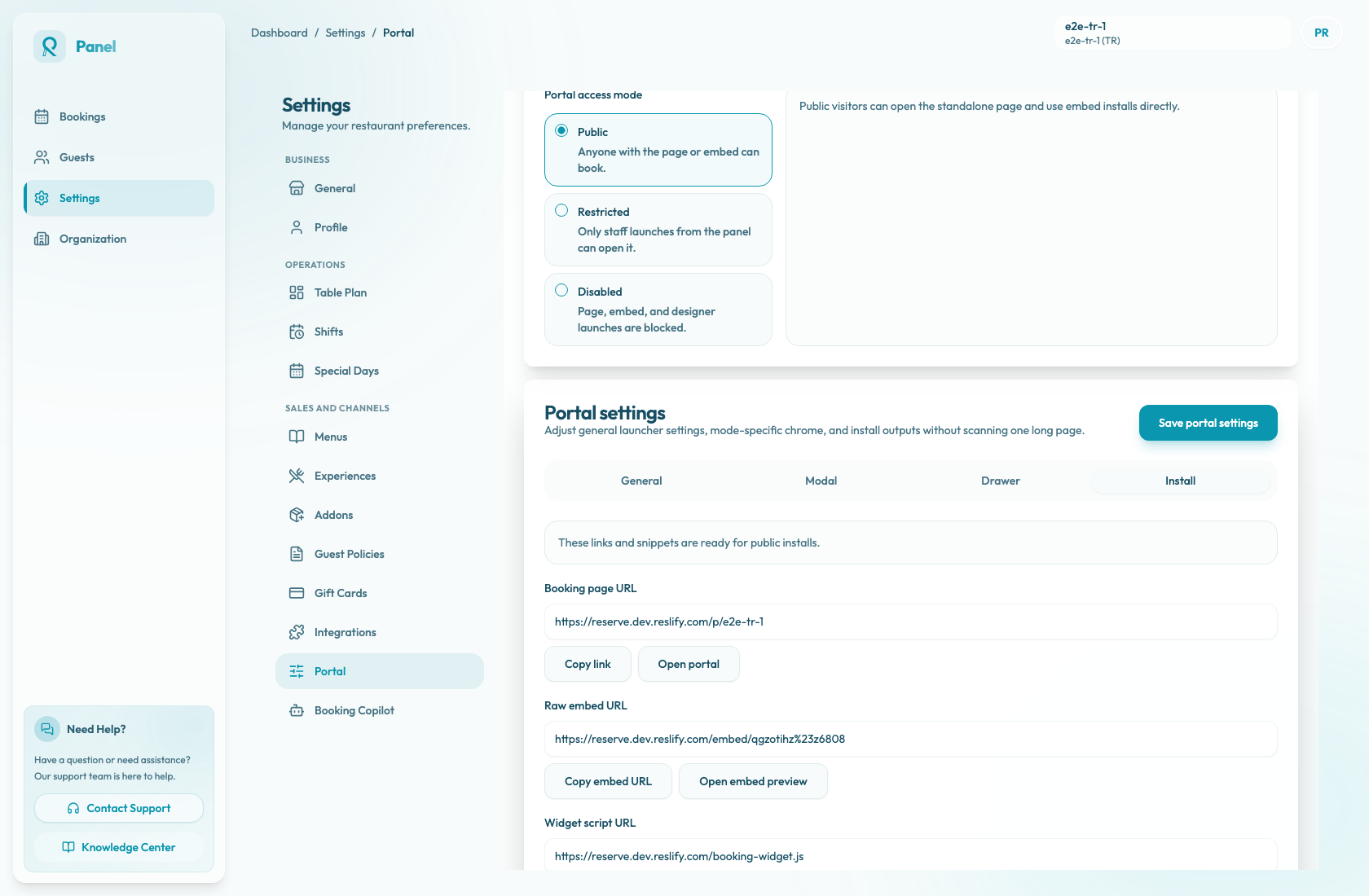
Open the Install tab to copy the merchant-facing installation values:
- Booking page URL for linking to the hosted booking page.
- Raw embed URL for direct embed implementations.
- Widget script URL for script-based widget installs.
- Modal, drawer, and inline embed scripts for common website placements.
Public install actions are enabled only when portal access is PUBLIC. If portal access is restricted or disabled, public copy and launch actions are disabled; use staff preview launches to check restricted portal behavior.