Reserve with Google & Integrations
Configure widget layout and launcher
Adjust the booking widget launcher text, style, default mode, z-index, and layout defaults.
What launcher settings control
The launcher settings define how the SDK-owned booking button appears when the widget is installed on the restaurant website. They also set default behavior for modal, drawer, and inline installs before website-specific overrides are applied.
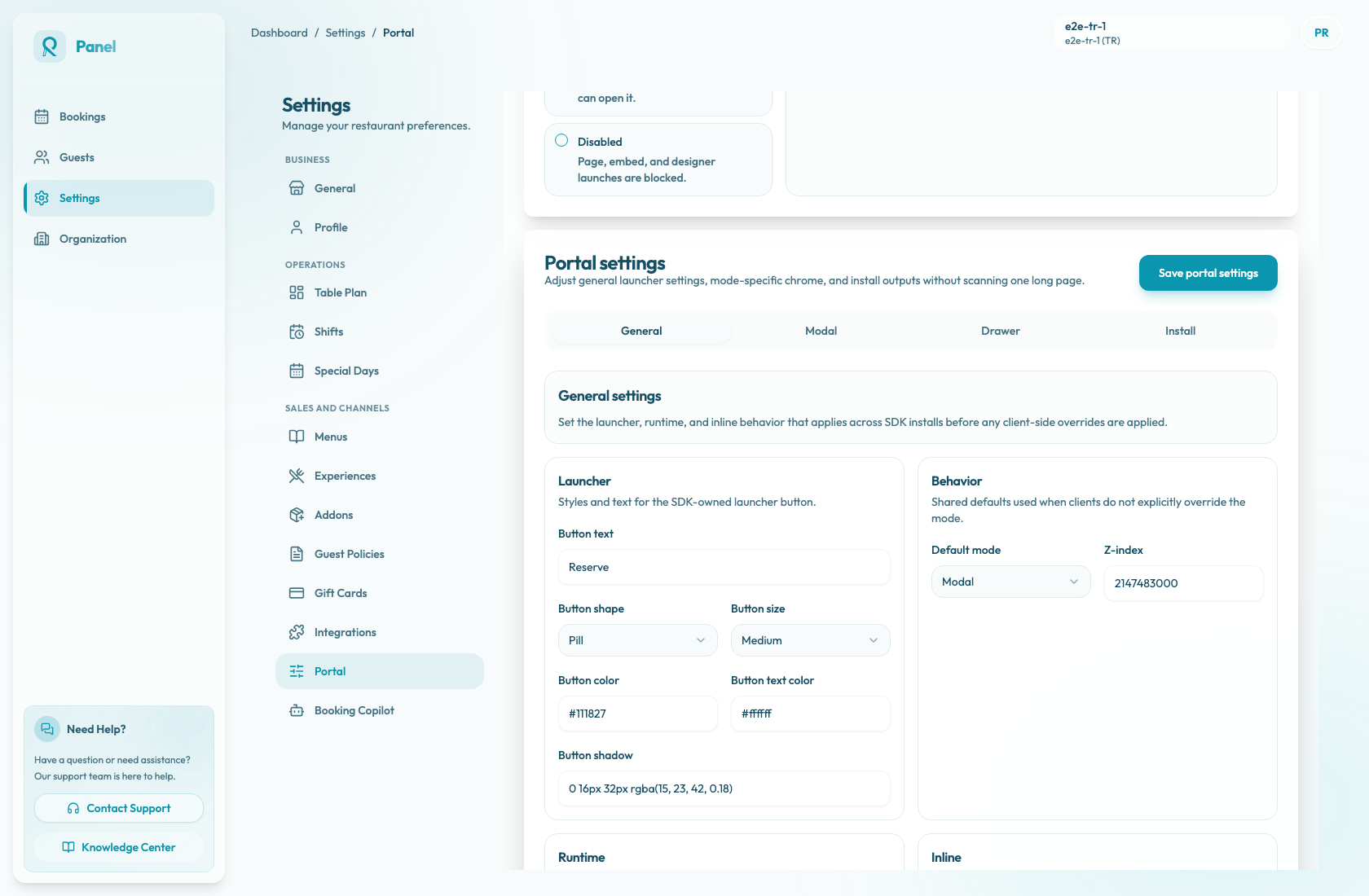
Configure launcher and behavior
- Open Settings / Booking widget.
- Select General.
- In Launcher, set Button text.
- Choose Button shape: Pill, Rounded, or Square.
- Choose Button size: Small, Medium, or Large.
- Set Button color and Button text color.
- Enable or disable Button shadow.
- In Behavior, choose the Default mode: Modal, Drawer, or Inline.
- Open Advanced only when you need to set allowed origins, raise the widget Z-index, or adjust inline minimum height.
- Save widget settings.
Adjust drawer placement
Use the Drawer tab when the default mode or install snippet uses Drawer. Launcher placement controls whether the launcher appears at the bottom-left or bottom-right of the page. Offset and drawer width values are included in the generated script attributes, so update them before copying a fresh drawer snippet.
Drawer placement is especially important on websites that already have sticky navigation, cookie banners, chat tools, or floating accessibility controls. After saving, test the launcher on mobile and desktop to confirm that it is visible and does not block important website actions.
Work with the website design
Choose button text that fits the website call to action, such as "Reserve", "Book a table", or the restaurant's preferred wording. Use colors that meet contrast expectations against the page background.
If the widget appears behind cookie banners, navigation, or chat tools, adjust z-index carefully and retest on mobile and desktop.
Keep snippets aligned
The Install tab generates snippets for the selected widget modes. Depending on the mode, snippets can include attributes such as data-reslify-button-text, data-reslify-mode, data-reslify-offset, width, placement, and z-index.
Booking widget settings define the restaurant defaults. Website-specific script attributes can override some values for a particular page, so changing Booking widget settings does not always change an already-pasted custom snippet. When launcher text, mode, drawer placement, offset, width, or z-index changes, save the settings and copy the updated snippet if the website code needs to carry those values.