Reserve with Google & Integrations
Copy booking widget code
Copy the modal, drawer, inline, or URL install code needed to add Reslify booking to a restaurant website.
Choose the right install option
The Install tab provides every public website install output from one place. Use the booking page URL for a simple link, the raw embed URL for a preview or iframe-like integration, the widget script URL when a developer wants to load the script directly, and the modal, drawer, or inline snippets for ready-to-paste widget installs.
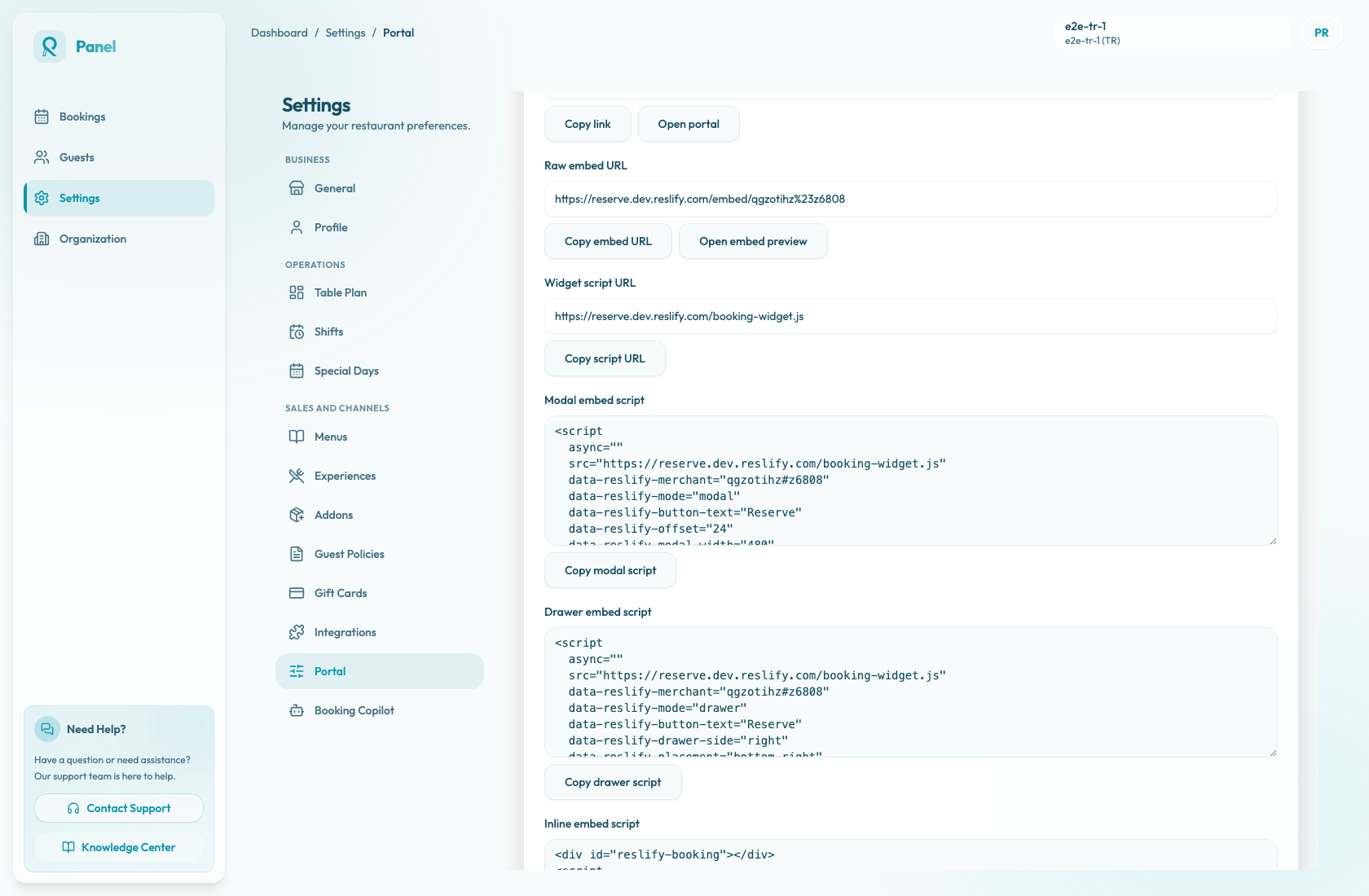
The available outputs are:
- Booking page URL: opens the public booking page at
/p/{slug}. - Raw embed URL: opens the embeddable booking flow at
/embed/{merchantId}. - Widget script URL: loads
/booking-widget.jsfrom the portal. - Modal embed script: opens booking in a centered overlay.
- Drawer embed script: opens booking from the side of the screen.
- Inline embed script: mounts booking inside a page section.
Copy code
- Open Settings / Booking widget.
- Select the Install tab.
- Choose the output the website needs.
- Select the matching copy button: Copy link, Copy embed URL, Copy script URL, Copy modal script, Copy drawer script, or Copy inline script.
- Send the copied code to the website developer or paste it into the website CMS if you manage the site.
- Test the widget on a staging page before publishing. If you regenerate or copy a new snippet later, retest the page after replacing the old code.
Modal, drawer, or inline
Modal opens the booking experience in a centered overlay.
Drawer opens it from the side of the screen.
Inline mounts the booking flow directly inside a page section.
Use the same mode in website copy, design expectations, and portal settings so the restaurant team knows what guests will see.
Modal and drawer snippets include the button label in data-reslify-button-text. Inline snippets include a div with id="reslify-booking" and target #reslify-booking, so place the target exactly where the booking flow should appear on the page.