Troubleshooting
Invalid phone number error
Fix phone number validation errors for guests, employees, profile contact fields, and public checkout.
Reslify shows Enter a valid phone number. when a phone field contains text that cannot be normalized into one real phone number. Blank phone fields are allowed in most panel flows, but a phone value must be valid when one is entered.
Confirm where the error appears
Use the flow that matches the screen:
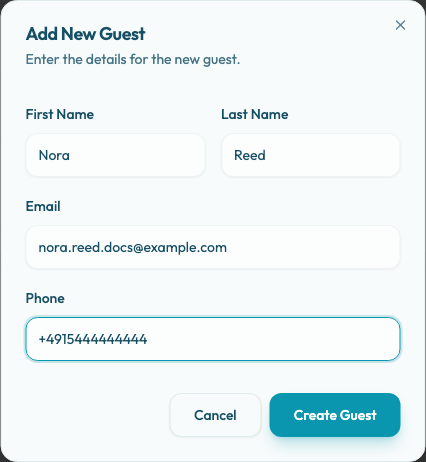
- Guests: In Add New Guest or Edit Guest, Phone is optional. If entered, it is validated against the restaurant country from the profile address and saved in a normalized format.
- New Reservation: In Guest Selection, a new guest can be saved with First Name, Last Name, optional Email, and optional Phone. The wizard checks the phone before Save Guest and again before Confirm Booking if the draft guest still has a phone value.
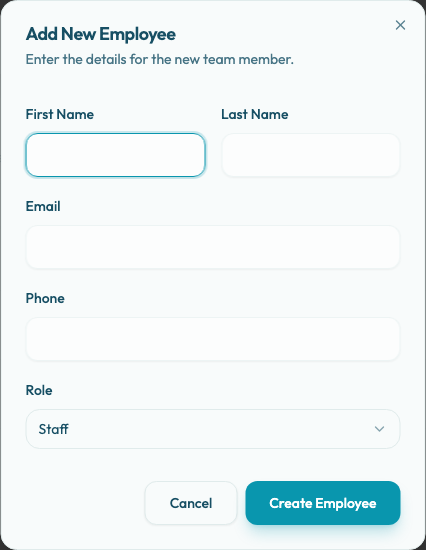
- Employees: In Add New Employee or Edit Employee, Phone is optional. Employee access depends on Email and role, not on phone.
- Account profile: In Account Settings > Profile, Phone is optional. If entered, Reslify normalizes it using the organization country before saving.
- Restaurant or organization contact details: Organization Profile shows Contact Phone. Restaurant Profile Settings show Basic Settings and Address Details as read-only in the panel. Contact support if those restaurant identity fields need to change.
- Public booking and checkout: The public reservation widget requires a guest phone number. Gift-card checkout can also require a purchaser phone number, especially PAYTR-backed TRY checkout.
Use one complete number
The safest format is international E.164: a plus sign, country code, and subscriber number with no extension. Examples:
- Turkey:
+905301234567 - Germany:
+4915111111111 - United States:
+12125550100
Panel forms first try the full international number as entered. If there is no + country code, Reslify tries the configured restaurant or organization country first, then falls back through Turkey, United States, Germany, and Australia. International format avoids country guessing and is best for support, imports, and cross-border guests.
Fix country code mistakes
Country code and local-number confusion is the most common cause.
- In a single panel Phone field, enter the whole number with
+, such as+905301234567. - In the public booking widget, choose the country code selector such as
+90, then enter the local number such as5301234567. - Do not put
90 5301234567into a local-number field after selecting+90; that can become a doubled country code. - If a local number fails in the panel, retry the same number with the explicit
+country code. - If the restaurant country is wrong or the restaurant phone/address fields are read-only, contact support instead of trying unrelated formats.
Remove notes and extra characters
Before saving, remove:
- Internal extension text.
- Multiple phone numbers in one field.
- Notes such as "WhatsApp only".
- Website URLs or social handles.
Phone fields should contain only the callable number. Put contact preferences in Guest Note, Reservation Notes, a guest profile note where available, or the team's internal handoff notes.
Check public checkout separately
For public reservations, the guest must complete Phone Number with a valid value before submitting. The widget validates the local number using the selected country code and the API normalizes the value before creating the reservation.
For gift cards, PAYTR-backed TRY checkout requires Phone Number (required) for the purchaser. If the buyer is entering a Turkish number, choose +90 and enter the local mobile number without a leading country code, such as 5301234567.
For employee access
When adding or editing an employee, leave Phone blank if you do not have a clean number. A bad optional phone blocks the save, but a blank phone does not block employee access. Confirm the employee's Email and role instead, because access is email-based.
When to escalate
Contact support if all of these are true:
- The number is a real reachable number.
- You entered one number only, preferably in
+international format. - Extensions, WhatsApp notes, URLs, and extra text were removed.
- The correct restaurant or organization country is selected, or the country/contact field is read-only.
Include the screen name, restaurant or organization, selected country code if there is one, the phone value that failed, and a screenshot of the validation message. For public checkout, also include whether it was a reservation checkout or gift-card checkout and whether PAYTR was used.